
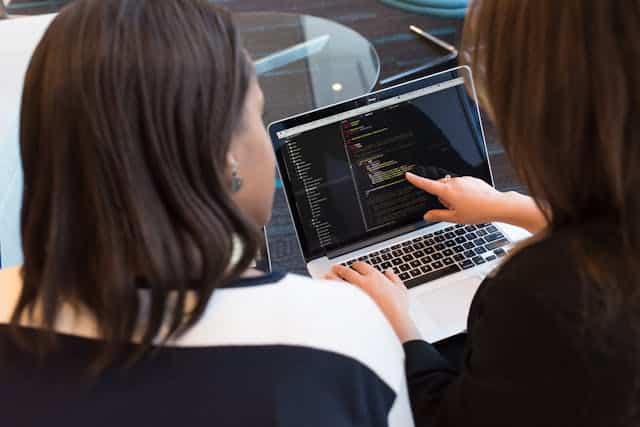
Programming homework can make you feel confused, stressed, or even like it’s impossible. If you have ever read an assignment requirement and thought:
“I have no idea what my instructor wants or what exactly needs to be done…”
As being the technical writer at MyCodingPal, I have worked with students from high school to university, and the pattern is always the same:
Most students struggle not with the code but with the instructions.
Once you understand what the homework actually wants, the coding part becomes much easier.
This guide is based on what I teach during tutoring sessions, broken down in simple English so you can follow it even if you are a complete beginner or a first-year student.
1. You are not bad at Programming- The instructions are just hard to read
Students often think they are “bad at programming,” but based on my experience helping hundreds of learners:
The main problem is that homework instructions are often unclear.
Teachers usually write assignments in formal or academic language. But beginners need plain, simple language. Those two do not match, especially for first-year students, even if the assignment is easy.
Expert insight:
In many tutoring sessions, students already know the logic. They just cannot understand the way the problem is written. Once we simply rewrite the problem or provide a breakdown, the student suddenly says, “Oh! Why did they not just say that?”
How to Break Down Any Programming Homework (Step-by-Step guide)
When students look at a programming assignment, they often try to understand everything at once. That leads to stress and confusion.
Instead, use this simple method I teach every student.
Follow the steps below, and you will be able to understand any assignment, even if it looks intimidating at first.
Step 1: Break the Homework Into 4 Expert Level Components
This is the exact method I use when students bring me confusing assignments. Instead of reading everything at once, identify these four things:
1.What is input?
What goes into the function? What data?
2. What is the output?
What must the code return or print?
3. What rules or constraints must be followed?
Even small phrases like “first,” “largest,” or “unique” change everything.
4. What topic is the teacher testing?
Strings, loops, arrays, conditions, recursion, classes, etc.
A real example from a student I helped:
Assignment:
“Write a program that computes the first non-repeating character in a string.”
The student that computes the first non-repeating character in a string.
The student thought this was an advanced algorithm.
But when we broke it down:
- Input: a string
- Output: one character
- Rule: must appear only once
- Topic: Counting
They said, “Why didn’t the assignment just say that?”
That is the power of expert breakdown.
Step Two: Re-write the Assignment in Beginner- Friendly Language
This is one of the first skill I teach students.
Assignment:
“Determine the cumulative sum of all integers in the array.”
Plain and Simple Language:
“Add all the numbers in the list.”
Expert tip:
If you can rewrite the problem simply, you are ready to code.
If you cannot rewrite it yet, you do not understand the task- and that is okay. Simplify more.
Step Three: Draw the Logic - A method Real Programmers Use
This may sound silly, but drawing your logic is a real coding technique used in industry.
Even a basic flowchart helps:
- Look at each item
- Check condition
- Move to next
- Return result
Why you should use this:
When the logic becomes visual, your brain stops overthinking.
Professional developers draw their ideas before wirtinf code, you should too.
Step Four: make a Small Example Before Coding Anything
This is one of my strongest tutoring habits:
“If you can not solve your own example on paper, you won’t solve the homework in code.”
Assignment:
“Remove all vowels from a string.”
Example:
Input: “hello”
Output: “hll”
Now the goal is clear.
Pro tip(from many tutoring sessions):
Students who do not make examples get stuck longer.
Students who make small examples solve homework faster every time.
Step Five: Translate Each Step into a Single Line of Code
Most students try to write the entire solution at once.
From my experience, this is the primary reason coding homework feels impossible.
Instead:
One tiny step = one tiny line of code.
Example (count vowels):
- Loop through characters
- Check if char is a vowel
- If yes, add to counter
- Return counter
This is exactly how professionals write code in the real world.
Step Six: Test Your Code With Real World Case Types
In tutoring, I always make students test their code with three types of input:
Normal Case
Regular, expected data
“apple”
Edge Case
Empty string, one element, etc.
“”, “a”
Tricky case
Something that breaks beginner logic
“aeiou” or “123abc”
Expert advice:
Professionals test this way because it reveals mistakes quickly.
If your code works for all three, then your understanding is solid.
Common Mistakes I see Students Make (And How to Fix Them)
These mistakes show up constantly in tutoring sessions:
Mistake 1: Starting coding early
Fix: Understand the logic first.
Mistake 2: Ignoring special conditions
Fix: Highlight key words.
Mistake 3: Writing long code blocks
Fix: Write one tiny piece at a time.
Mistake 5: Panicking over errors
Fix: Every error is just a clue, nothing more
Expert reassurance:
I have never met a student who didn’t make these mistakes. Mistakes are part of learning, not signs of failure.
Real Example: A Scary Assignment, Explained Simpley
Original Problem: “Return the frequency distribution of characters in the provided alphanumeric sequence.”
Plain English: “Count how many times each character appears.”
Example:
Input: “aabbbcc”
Output: {a:2, b:3, c:2}
Expert note:
The teacher is not trying to trick you; they are just using complicated wording. Once you rewrite the problem, the assignment is simple and clear.
When you Should Ask for Help(This is Normal)
You should reach out for programming homework help when:
- The question doesn’t make sense
- You don’t understand the topic
- Your code logic “feels wrong”
- Your code logic feels wrong
- You feel overwhelmed or stressed
Expert reassurance from experience:
Getting help earlier saves hours of frustation later. You are not weal for asking help, you are being smart and you want to learn from the expert.
Whenever you need help with your logic, your code, or your assignment, Mycodingpal is always here to make things easier.
Quick Expert Checklist (use This for Every Homework)
- What is Input?
- What is Output?
- What steps are needed?
- Can I explain the logic simply?
- Did I make my own example?
- Did I test normal, edge, and tricky cases?
This is the exact checklist I use when helping students, it works everytime.
Final Thoughts : You are More Capable Than You think
The truth is very simple:
Programming becomes easier once you learn how to understand the assignment.
You don’t need to be perfect, and sometimes you don’t need to figure everything out alone.
If you are stuck, confused, reach out to your professor to clear your doubts, check online forums or ask online help and you will always learn something once you are done.